48Hours Digital

All Prompts - Page 25

Explore full collection of AI prompts
AI Image
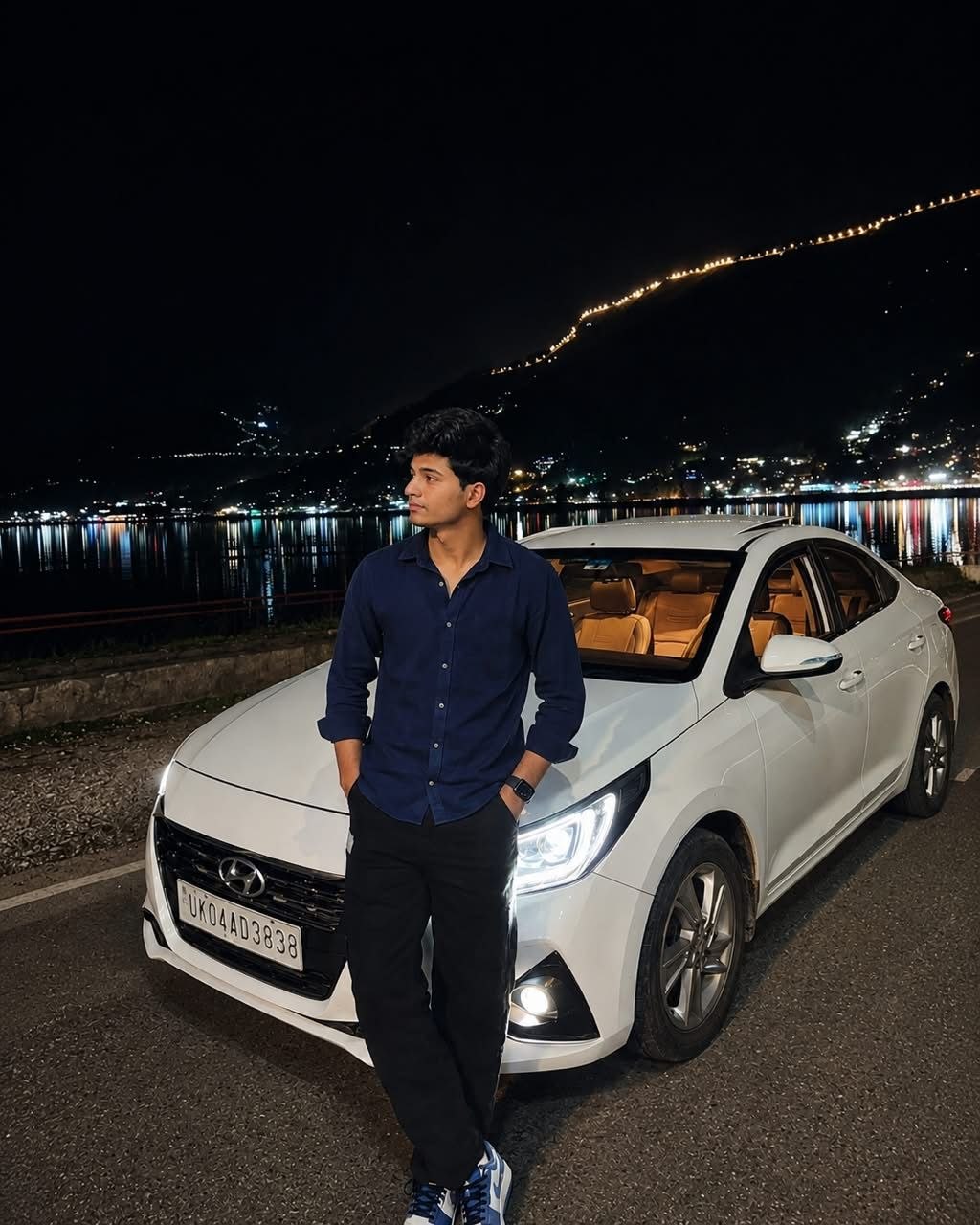
image Ultra-realistic casual smartphone photograph captured on an iPhone 15 Pro using the standard 1× rear camera (26mm wide-angle lens). Vertical 4:5 full-body composition with an eye-level handheld perspective. A young South Asian man with medium-fair skin, thick slightly messy black hair, and a naturally lean physique is standing casually in front of a white Hyundai sedan parked beside a calm lakeside road at night. He is wearing a dark navy-blue full-sleeve button-up shirt with the sleeves casually rolled up, loose black straight-fit trousers, blue-and-white sneakers, and a black smartwatch. Both hands are in his pockets while he looks naturally toward his left with a relaxed, thoughtful expression. The white Hyundai sedan is positioned slightly behind him at a three-quarter front angle. The LED headlights are switched on, casting realistic pools of light across the road without overexposure. The car interior glows softly with warm ambient lighting visible through the windows. The license plate appears authentic but not emphasized. In the background is a peaceful lake reflecting distant city lights. A dark mountain range rises behind the lake with a winding line of warm lights tracing the hillside. The night sky is deep black with subtle atmospheric haze and minimal visible stars. Reflections on the water remain soft and natural. Lighting is completely natural, created only by the car headlights and existing ambient night lighting. Realistic smartphone exposure with slight shadow falloff, accurate white balance, authentic contrast, natural skin texture, and true-to-life colors. No cinematic lighting, no HDR, no artificial glow, no beauty filter, no AI enhancement, no skin smoothing, no color grading, no oversharpening, no fake bokeh, and no portrait mode. Preserve realistic smartphone noise, slight handheld imperfections, natural depth of field, and genuine iPhone image quality, making the photograph appear like an unedited photo captured spontaneously during a nighttime road trip.
128 Views
View Prompt & Copy
AI Image
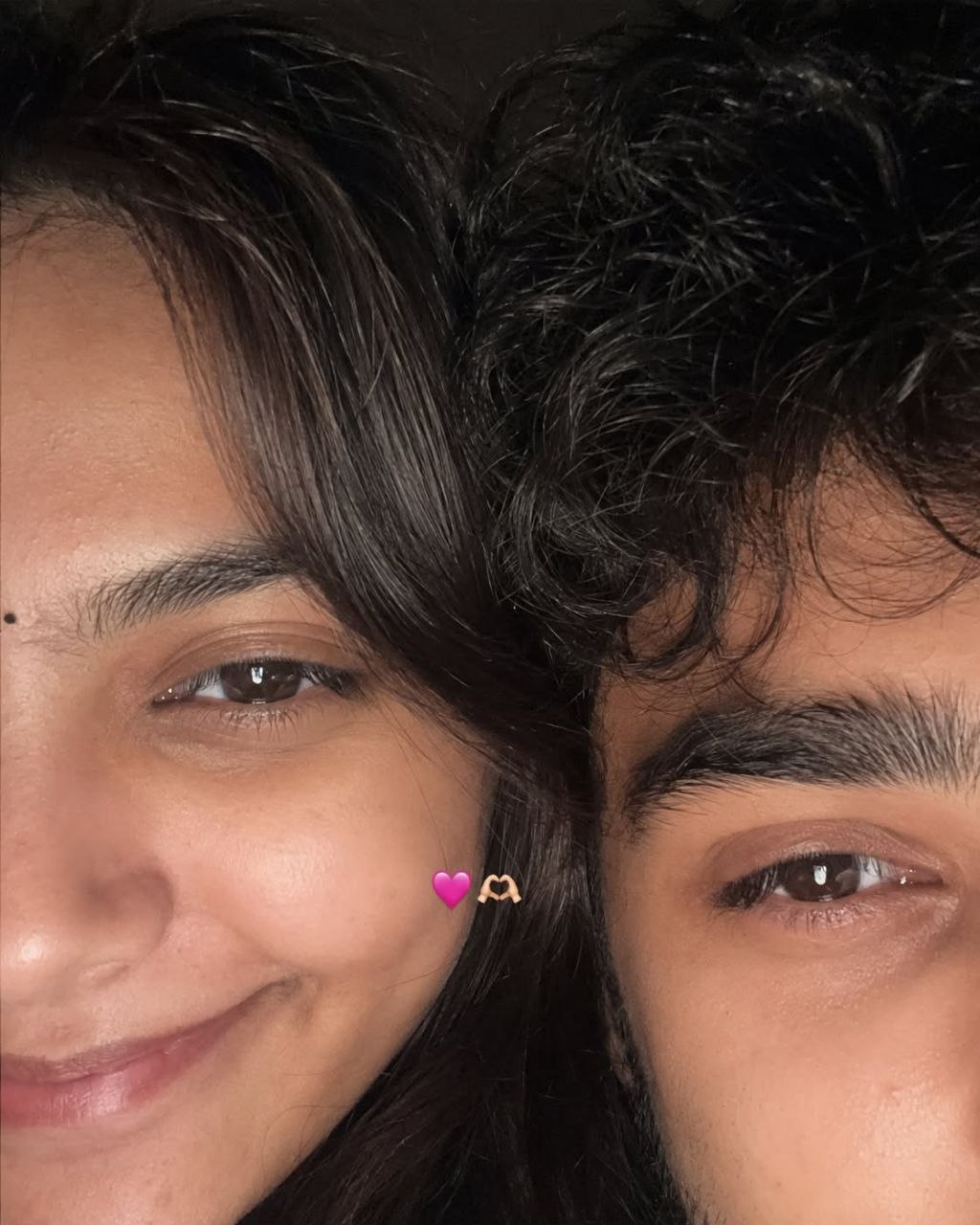
Use 100% of both faces above the image uploaded Must look exactly like a real iPhone front camera flash selfie uploaded to Instagram, not an AI-generated image. Preserve natural imperfections, realistic skin pores, sensor noise, slight blur, imperfect framing, and authentic smartphone camera artifacts.Create an ultra-realistic candid smartphone selfie of two young people with only the upper half of their faces visible, framed extremely close to the camera. Their faces are pressed together naturally, creating an intimate, cozy composition. The left person shows one eye with long natural eyelashes, while the right person has soft messy black bangs partially covering one eye. Warm hazel-brown eyes with realistic reflections, natural skin texture with tiny pores, faint acne marks and subtle imperfections. Soft black hair with loose strands falling across the face. Low-light indoor environment with a phone flash, soft overexposed highlights, slight motion blur, shallow depth of field, subtle lens softness, realistic digital camera noise, authentic smartphone HDR processing, imperfect focus, natural color tones, cozy late-night aesthetic. A tiny pink heart emoji and heart-hands emoji are placed between both faces. Vertical 3:4 composition, looks like an accidental Instagram story/photo taken on an iPhone, completely photorealistic, raw, unedited, cinematic, no beauty filter, no AI look, no plastic skin, no oversharpening, no extra details, indistinguishable from a real phone photo. Ratio 4:5
156 Views
View Prompt & Copy
AI Image
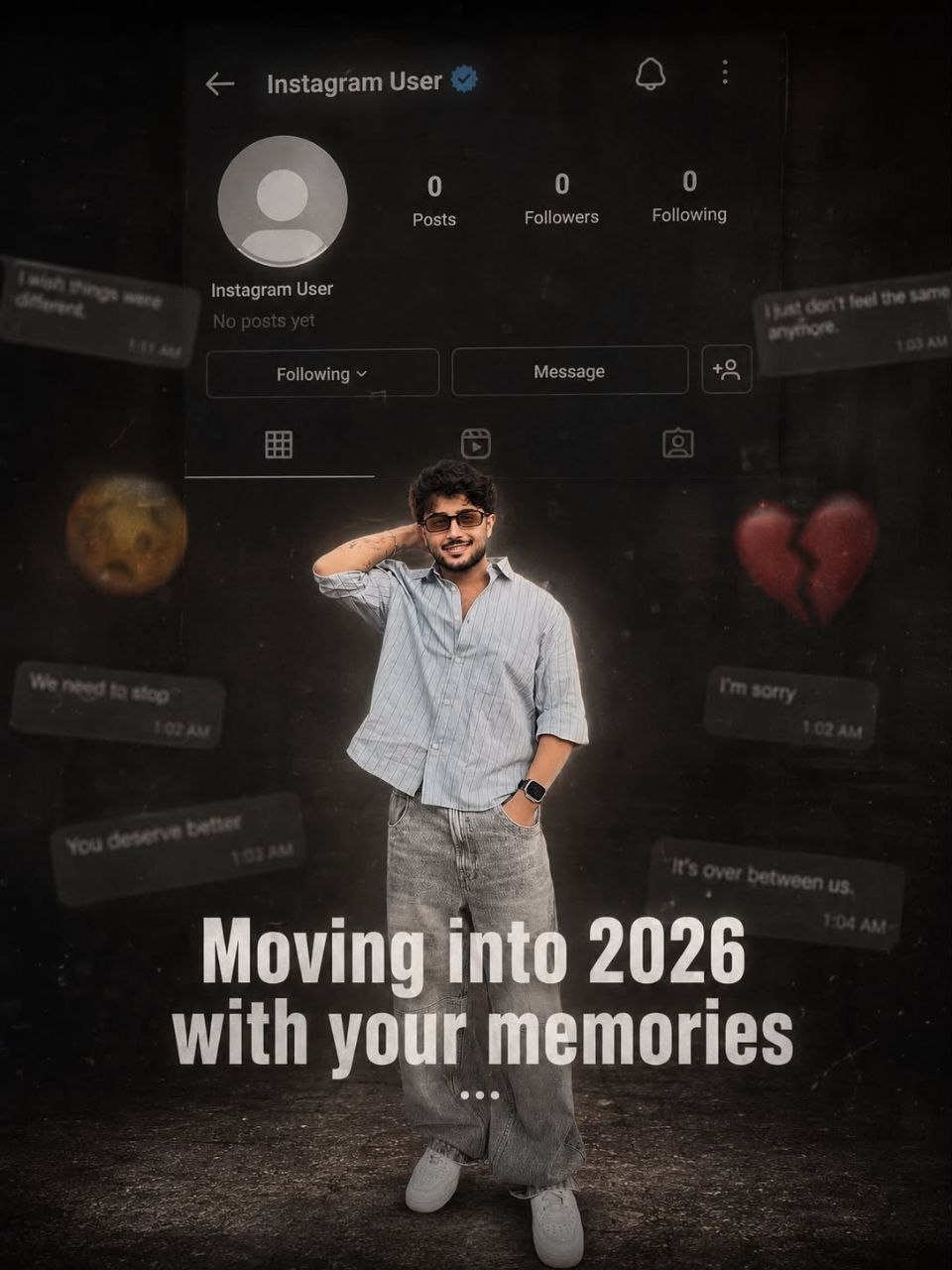
Create a dark, emotional Instagram heartbreak memories edit using the uploaded photo. Keep the person’s face, hairstyle, skin tone, body shape, clothes, and pose 100% unchanged. Do not modify identity. Design: • Background should be dark, faded, and slightly blurred. • Add a large semi-transparent Instagram profile interface behind the subject. • Profile picture should appear removed with a default Instagram avatar. • Username: “Instagram User” • Add Profile, Search, Mute, and Options icons. • Use a black and grey color theme with a soft vignette. • Add subtle film grain, motion blur, dust particles, and cinematic lighting. • Place the subject at the bottom center with a soft shadow. Text (large bold white font): “Moving into 2026 with your memories” Below the text add: … Additional effects: • Broken heart emoji • Sad emoji • Faded chat/message overlays in the background. • Instagram aesthetic, nostalgic breakup vibe. • Moody color grading with low saturation. • High contrast, realistic photo edit. • Soft glow around the subject. • Premium viral Instagram reel thumbnail style. • Ultra HD, photorealistic, 4K quality. • No cartoon, no anime, no AI-looking face. • Keep everything natural and cinematic.
128 Views
View Prompt & Copy
AI Image
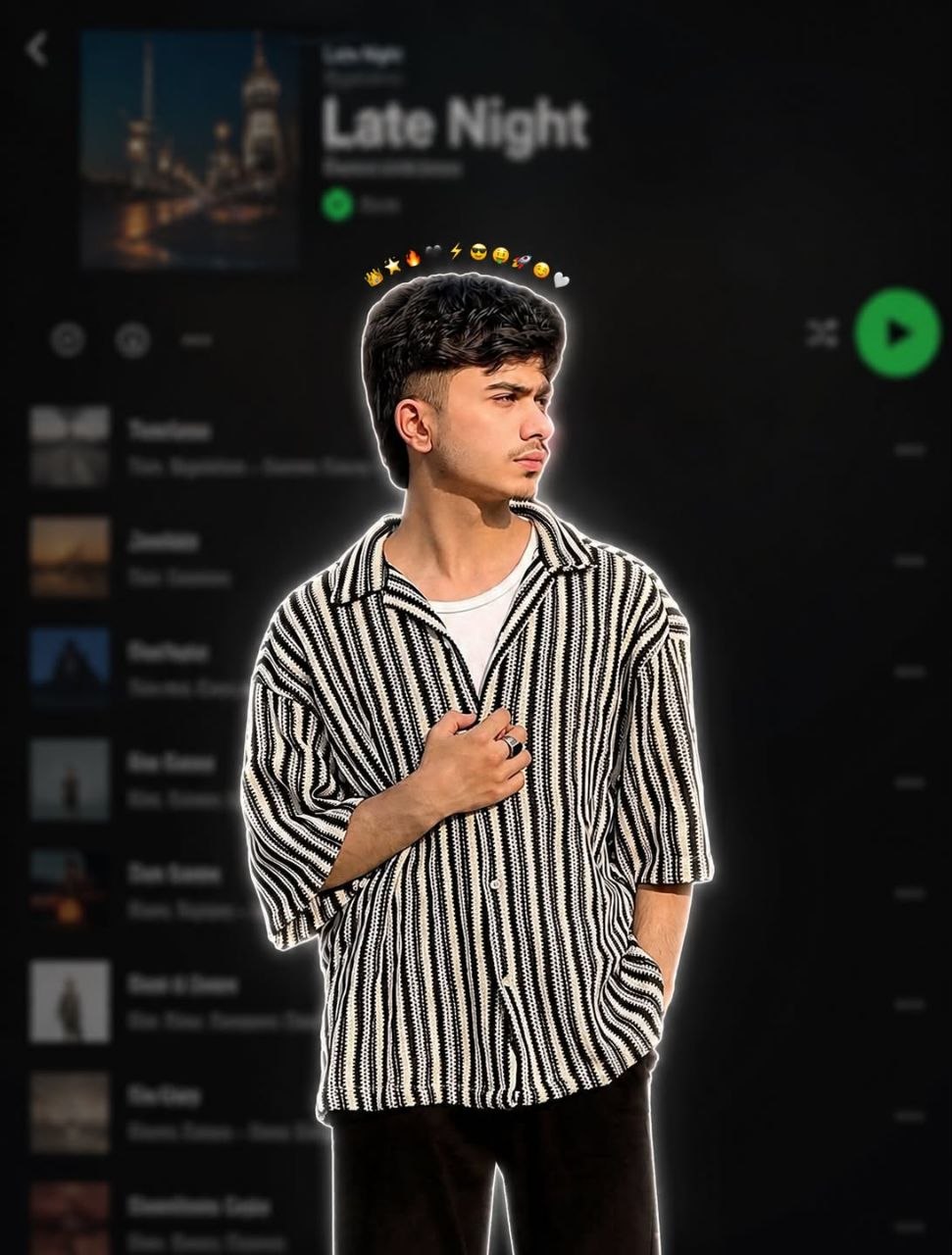
Use the uploaded image as the ONLY identity reference. Keep the subject’s gender, face, facial structure, hairstyle, skin tone, age, clothing, body proportions, original pose, expression, hand position, camera angle, framing and perspective exactly unchanged. Create a premium Instagram Feed Post (1080×1350, 4:5) with a thin white sticker outline and soft white glow. Add one tiny compact emoji crown (10–12 emojis ) centered in a very tight curved arc, floating just above the hair with a clear small gap, about 15–20 px above the highest point of the hair, matching the reference. Keep the emojis small, closely packed, subtle, and never touching or overlapping the hair, forehead, face, or white outline. Never make the crown wide, oversized or scattered. Use the same clothing, hairstyle and pose. Background: heavily blurred dark-mode mobile music streaming app playlist with a premium cinematic look.
133 Views
View Prompt & Copy
AI Image
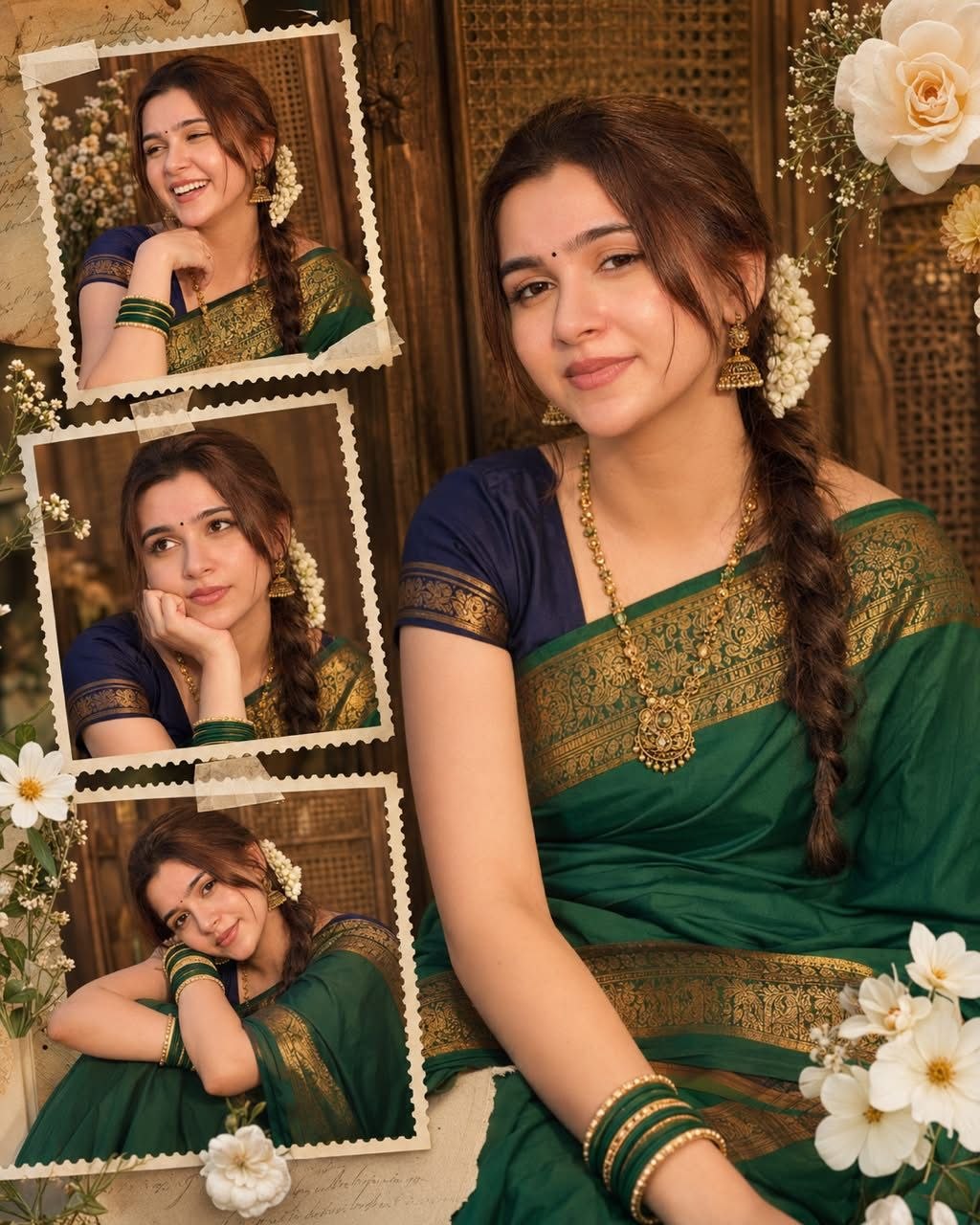
100% face accuracy very Hyper a Create a premium 24K ultra-HD cinematic portrait collage of a beautiful young Indian woman wearing a traditional green silk saree with a royal navy-blue blouse and golden zari border, adorned with elegant gold jewelry, green bangles, a small black bindi, and jasmine flowers in her hair. Use a 4-photo collage layout with one large central portrait and three smaller Polaroid/postage-stamp style frames placed artistically around it. Each pose should express a different emotion-gentle smile, candid laughter, dreamy thinking pose, and resting on folded knees. Background should feature a warm vintage wooden interior with woven cane panels, soft golden cinematic lighting, rich shadows, floral decorations in the corners, and luxury aesthetic. Add elegant white and pastel floral elements, premium scrapbook details, realistic tape effects, and subtle depth of field. Ratio 4:5
125 Views
View Prompt & Copy
AI Image
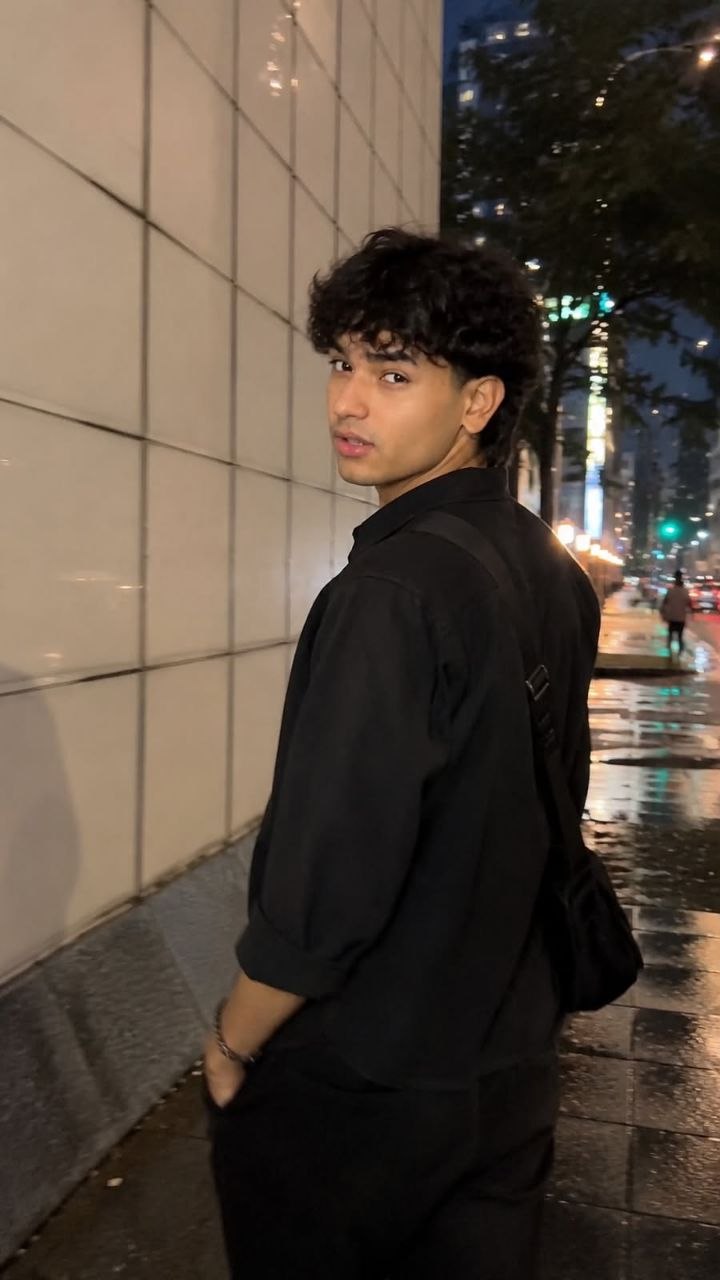
Ultra-realistic candid iPhone night photo, 9:16. Use the reference image only as inspiration for the subject's overall appearance while creating a fully original, non-identifiable person (not a face copy). Stylish person in an all-black outfit walking beside a white tiled wall, looking back over their shoulder. Natural motion blur, slight camera shake, face 60–70% sharp, warm streetlights, cinematic bokeh, wet pavement reflections, iPhone flash, realistic skin texture, handheld snapshot, shallow depth of field, authentic Instagram aesthetic, no AI look, no HDR, no filters, photorealistic.
140 Views
View Prompt & Copy
AI Image
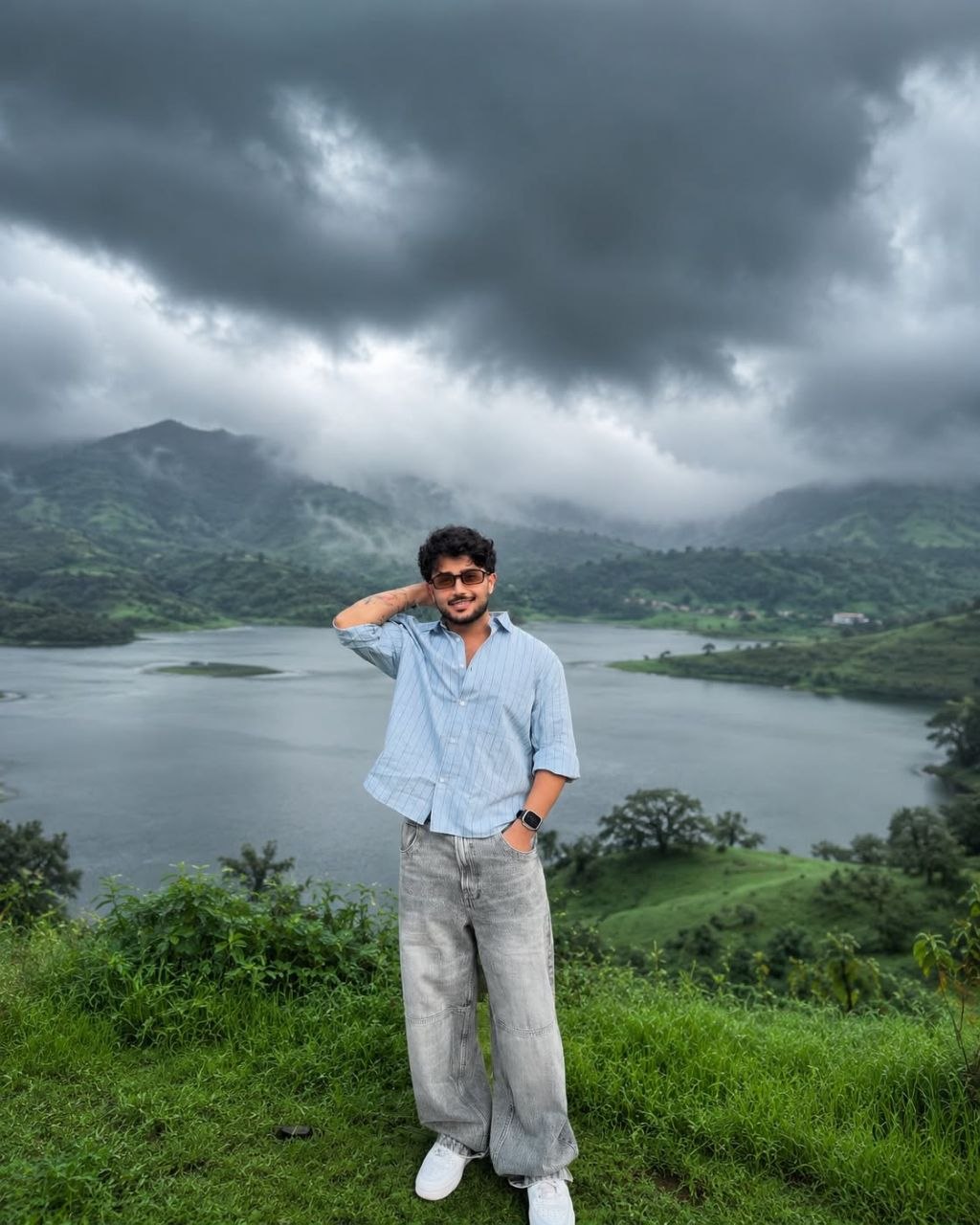
A breathtaking monsoon landscape with a vast tranquil lake surrounded by lush green rolling hills under a dramatic, dark overcast sky filled with heavy rain clouds. Fresh, vibrant green grass in the foreground. A soft mist and subtle fog rolling over the hills and water. Moody rainy day atmosphere, photorealistic, cinematic lighting, slight natural depth of field with a soft blur in the background, 8k resolution, 4:5 ratio.
132 Views
View Prompt & Copy
AI Image
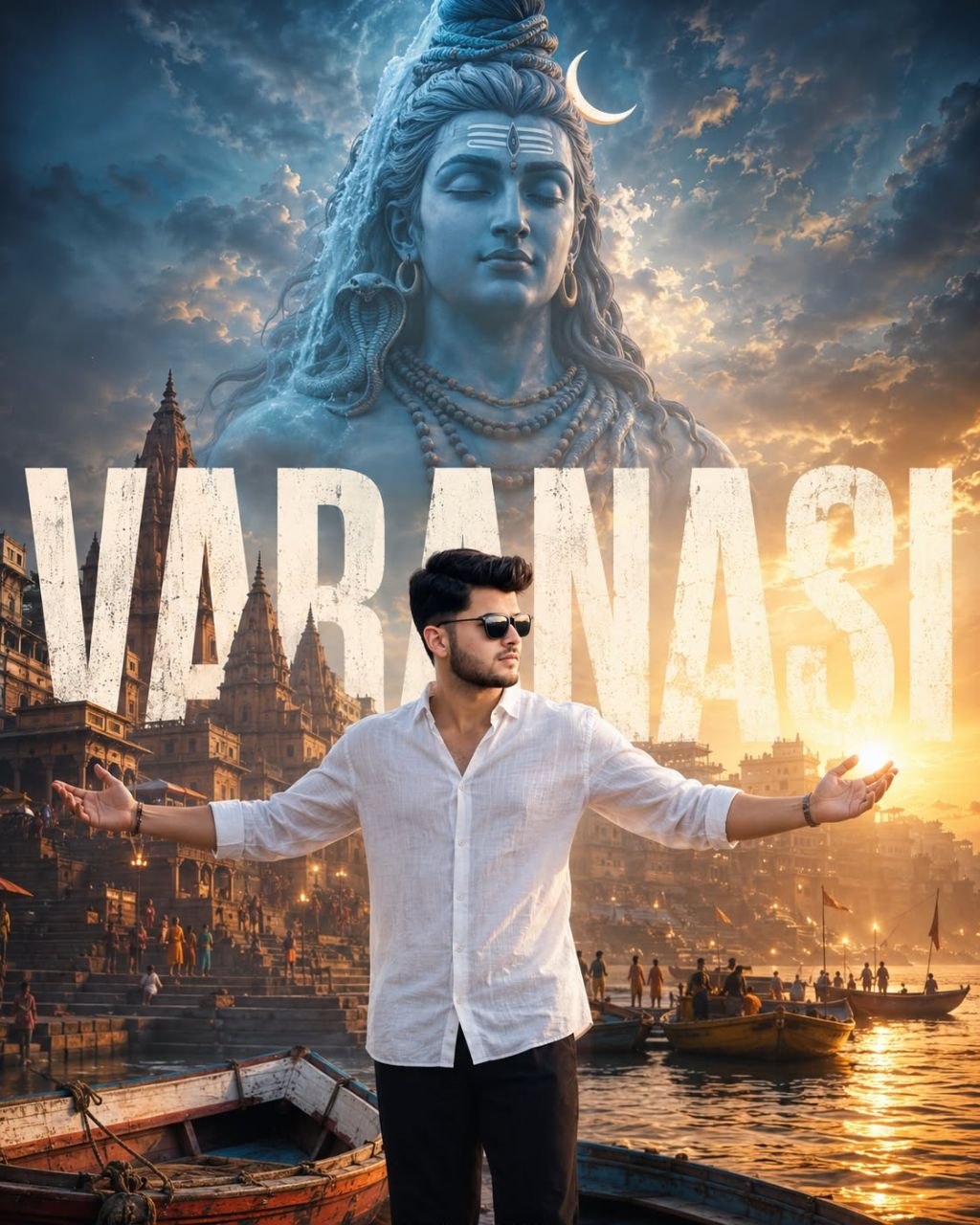
Ultra-realistic premium travel poster, cinematic devotional travel photography. A stylish young Indian man stands in the foreground with open arms wearing a white linen shirt, black trousers, black sunglasses. Behind him are the famous Varanasi Ghats, stone steps leading to the Ganga River, ancient temples, pilgrims, boats floating on the river, evening spiritual ambience. Massive distressed white typography reading "VARANASI" behind the ghats. Above the city floats a gigantic divine portrait of Lord Shiva, serene expression, crescent moon, flowing Ganga from His hair, rudraksha ornaments, soft blue divine aura emerging from glowing clouds. Golden sunrise over the Ganges, temple bells atmosphere, divine fog, volumetric lighting, cinematic composition, luxury travel campaign, HDR realism, 8K masterpiece, 4:5 aspect ratio.
143 Views
View Prompt & Copy
AI Image
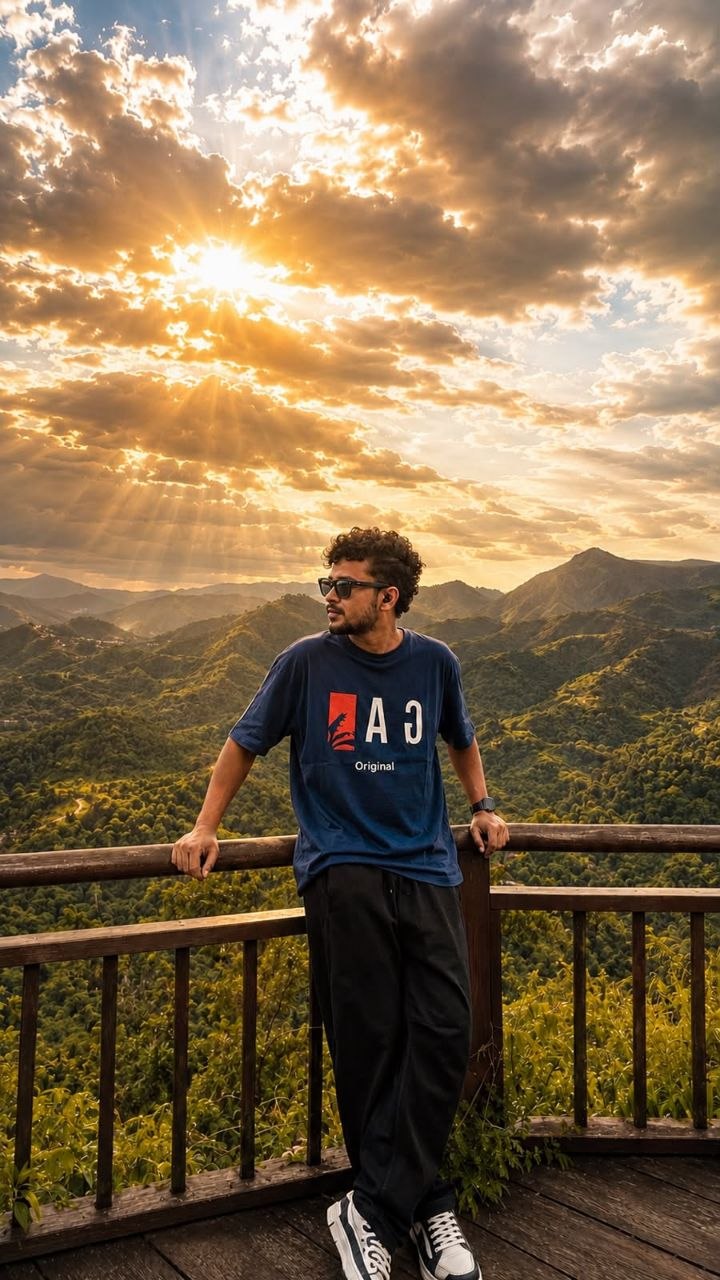
Enhance this exact uploaded photo while preserving the person's facial identity, hairstyle, skin tone, outfit, pose, accessories, and background exactly as in the original. Add soft golden-hour sunlight gently falling on the face from the upper-right side with natural warm highlights and realistic skin tones. Create beautiful warm backlighting behind the subject with subtle sun rays passing through the tree leaves, soft lens flare, glowing bokeh, and cinematic volumetric light. Increase overall warmth, contrast, clarity, and dynamic range while keeping the edit natural and ultra-realistic. Preserve all original details without changing the face or body. Professional DSLR color grading, HDR, realistic shadows, premium outdoor portrait, golden hour, 8K ultra-detailed, photorealistic.
130 Views
View Prompt & Copy
AI Image
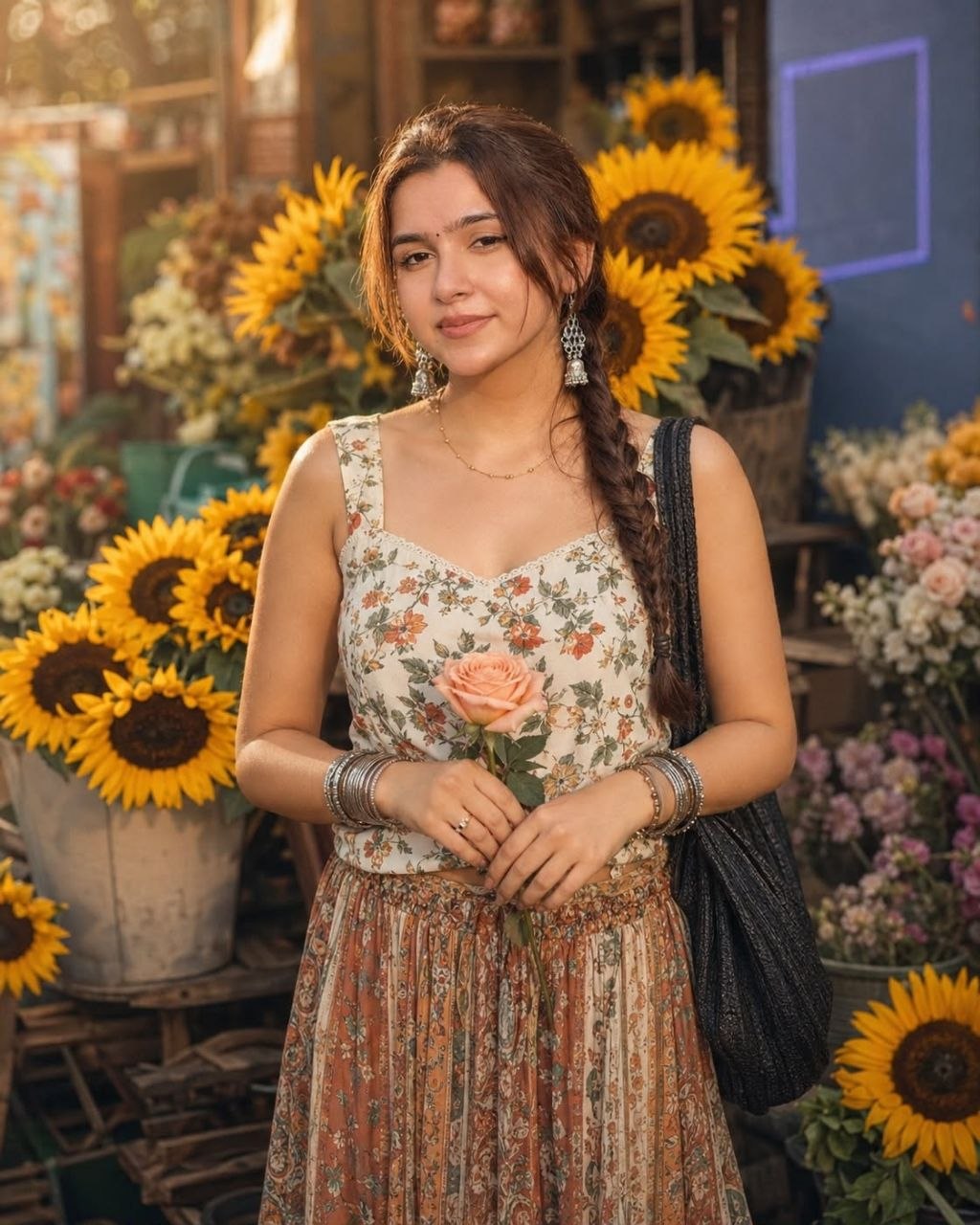
Ultra-realistic cinematic portrait of a beautiful young South Asian woman standing in a cozy flower market, eyes gently open seeing front with a peaceful smile, holding a soft peach rose. Wearing a sleeveless white floral printed top, flowing boho-pattern maxi skirt, silver oxidized bangles and statement earrings, carrying a large black textured shoulder bag. Surrounded by oversized bright yellow sunflowers placed behind and around her for a creative floral composition. Warm golden-hour lighting with soft glow, rich earthy tones, dreamy floral shop background, and dim light purple blue rectangle on sunflower background, creamy bokeh, shallow depth of field, soft atmospheric haze, natural skin tones, premium cinematic color grading, not a high contrast match the photo vibe is cinematic DSLR photography, 85mm lens, f/1.8, ultra-detailed, realistic textures, 8K, vertical 4:5.
154 Views
View Prompt & Copy

Popular Prompt Tags

Explore the Best AI Image Prompts for Stunning AI-Generated Images

Welcome to 48 Hours Digital, your creative destination for discovering high-quality AI image prompts, creative photography ideas, and ready-to-use prompts for AI image generation. Whether you want to create realistic portraits, cinematic photographs, stylish social media images, or creative digital artwork, finding the right prompt can make a big difference in your results.

Our growing collection of AI image prompts and examples is designed to help beginners, content creators, photographers, and digital artists turn their ideas into detailed visual instructions. Explore different styles, discover creative inspiration, and copy prompts that you can customize for your own projects.

Discover Free AI Image Prompts to Copy and Paste

Looking for AI image prompts copy and paste? Explore our collection of ready-to-use ideas for different subjects, occasions, photography styles, and creative projects. Instead of starting with a blank text box, you can use an existing prompt as inspiration and adjust the details to match your vision.

From high-quality realistic portraits to 3D artwork and cinematic compositions, our AI prompt library helps you explore different creative possibilities. You can copy a prompt, modify its subject, clothing, background, lighting, camera angle, and aspect ratio, and experiment with your preferred AI image generator.

AI Image Prompts for Boys, Girls, Men, Women and Couples

Different photography ideas require different prompt instructions. Explore creative AI image prompts for boys, AI image prompts for girls, men, women, and couples. Whether you are interested in fashion portraits, traditional outfits, romantic couple photography, birthday photoshoots, or stylish profile pictures, a well-written prompt can help describe the visual details you want.

You can also experiment with aesthetic portraits, realistic expressions, natural lighting, professional photography styles, and different backgrounds. Customize each prompt according to your own requirements instead of using the same instructions for every image.

AI Image Prompts for ChatGPT, Gemini and Other AI Tools

AI image generation tools offer different features and respond to instructions in different ways. You can adapt our AI image prompts for ChatGPT, Gemini AI image prompts, and other compatible image-generation platforms.

You can also experiment with prompts for Bing Image Creator, Midjourney, Stable Diffusion, FLUX, and other AI image tools. Some prompts may need small changes depending on the platform, its image-generation capabilities, and the result you want to create.

Realistic AI Image Prompts and Creative Photography Ideas

Creating a realistic-looking AI image starts with describing the subject and scene clearly. Include details such as camera perspective, lighting direction, background, composition, clothing, facial expression, and image style.

Explore high-quality AI image prompts, photorealistic portrait prompts, 3D AI image prompts, black-and-white photography ideas, cinematic scenes, and creative 4K image concepts. These examples can help you develop better instructions for your personal projects, websites, social media posts, and digital designs.

AI Image Prompts for Instagram and Social Media

Need fresh visual ideas for your social media content? Discover AI image prompts for Instagram, Facebook posts, profile pictures, promotional graphics, and creative photography. You can experiment with square, portrait, and landscape compositions depending on the platform and intended use.

Whether you are a YouTuber, Instagram creator, blogger, or designer, AI-generated visuals can help you explore new creative directions. Always review the generated image before publishing and check the relevant platform's content and usage requirements.

How to Write Better AI Image Prompts

A useful AI image prompt should communicate your idea clearly. Start with the main subject, describe the action, add the setting, and then explain the lighting, composition, visual style, and important details.

For example, instead of writing only "a beautiful portrait", describe the subject's pose, outfit, environment, camera angle, background, and lighting. Clear instructions give an AI model more context to work with, although the final result can still vary between different image-generation models.

If you want to improve your prompt-writing skills, read our practical guide to writing effective AI image prompts . You can also learn about creating more photorealistic AI images and understanding negative prompts .

Why Explore 48 Hours Digital?

48 Hours Digital brings together creative AI prompts, practical examples, and useful guides in one place. Our goal is to make AI image prompting easier to understand and more accessible for people who want to experiment with AI-powered creativity.

  • Explore a growing library of AI image prompts.
  • Find creative prompts for portraits and photography.
  • Discover realistic, cinematic, aesthetic, and 3D styles.
  • Copy and customize prompts for your creative projects.
  • Learn practical AI image prompting techniques.
  • Discover new and trending creative prompt ideas.

Frequently Asked Questions About AI Image Prompts

What are AI image prompts?

AI image prompts are written instructions that describe an image you want an artificial intelligence image generator to create. They can include the subject, background, lighting, camera angle, composition, and artistic style.

Where can I find free AI image prompts?

You can explore the free prompt collection on 48 Hours Digital. Browse different categories and discover ready-to-use ideas that you can copy, customize, and experiment with.

Can I copy and paste AI image prompts?

Yes. You can copy a prompt and paste it into a compatible AI image-generation tool. You may need to adjust some instructions depending on the platform and your desired result.

Which AI tools can use these image prompts?

Many prompts can be adapted for tools such as ChatGPT, Gemini, Midjourney, Bing Image Creator, Stable Diffusion, and FLUX. Compatibility and results depend on each tool's supported features.

How can I create more realistic AI images?

Describe natural lighting, camera perspective, realistic materials, facial expressions, composition, and environmental details. Experiment with different instructions and refine the prompt based on the generated result.

Find Your Next Creative AI Image Prompt

Ready to explore new ideas? Browse our latest and trending AI image prompts, discover creative examples, and find inspiration for your next AI-generated image.

Explore Trending Prompts →